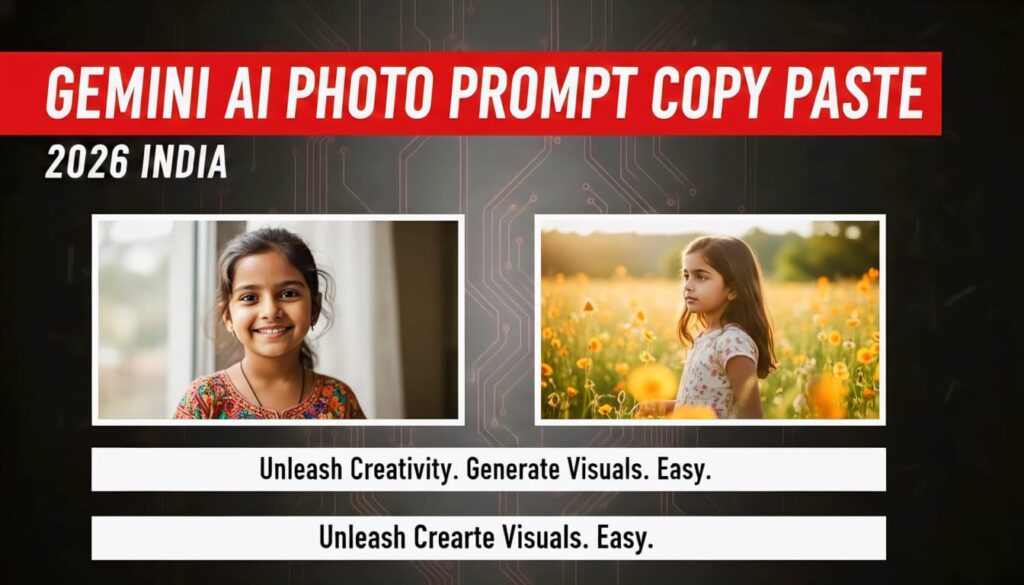
Gemini AI Photo Prompt Copy Paste: A Practical Guide That Actually Helps
If you’ve tried generating images with AI and felt disappointed, confused, or underwhelmed, you’re not alone. Most people don’t struggle because AI image tools are bad—they struggle because their prompts are vague, messy, or copied blindly without understanding how they work.
That’s where gemini ai photo prompt copy paste searches come in.
People aren’t lazy; they’re practical. They want prompts that work. Prompts they can copy, paste, tweak slightly, and instantly get better-looking images. This article is written exactly for that purpose—but with a twist. Instead of dumping random prompts, we’ll explain why certain prompts succeed, how to customize them, and how to use Gemini AI like a pro rather than guessing every time.
No hype. No fluff. Just real guidance from someone who’s spent years writing prompts, testing AI tools, and refining creative workflows.
What Is Gemini AI for Image Generation?
Gemini AI, developed by Google, is a multimodal AI system. That simply means it understands text, images, and context together. When you ask it to generate or analyze images, it doesn’t just follow commands—it interprets intent.
This is important because Gemini doesn’t respond well to sloppy prompts. It rewards clarity, structure, and specificity.
If you’ve ever typed something like “make a cool photo” and felt underwhelmed, that’s not Gemini’s fault. That’s a prompt problem.
Why “Copy Paste” Prompts Are So Popular
Let’s be honest: not everyone wants to learn prompt engineering from scratch.
People search for gemini ai photo prompt copy paste because:
- They want fast results
- They want proven formats
- They want inspiration without trial and error
There’s nothing wrong with copying prompts—as long as you understand how to adapt them.
Think of prompts like recipes. Copying a recipe is fine. Expecting it to taste perfect without adjusting for your ingredients is where things fall apart.
How Gemini AI Interprets Photo Prompts
Before jumping into examples, you need to understand one thing: Gemini reads prompts in layers.
It looks for:
- Subject (what the image is about)
- Style (photorealistic, cinematic, illustration, etc.)
- Details (lighting, mood, camera angle)
- Constraints (colors, background, realism level)
The better you structure these elements, the better Gemini performs.
The Anatomy of a Strong Gemini AI Photo Prompt
Every effective prompt—copy-pasted or custom—follows a simple structure:
Subject + Visual Style + Environment + Mood + Technical Details
Here’s a basic example:
“A cinematic portrait of a young woman, soft natural lighting, shallow depth of field, neutral background, ultra-detailed, realistic skin texture”
Even copied prompts work best when they follow this flow.
Ready-to-Use Gemini AI Photo Prompt Copy Paste Examples
Below are practical, adaptable prompt examples you can copy and paste directly into Gemini AI. These are written to be flexible—not rigid—so you can tweak them easily.
Portrait Photography Prompt
A realistic portrait of a person with natural facial features, soft daylight lighting, shallow depth of field, neutral background, professional photography style, high resolution, detailed skin texture, calm expression
Why this works:
It avoids exaggerated beauty filters and tells Gemini to prioritize realism, which it handles well.
Cinematic Character Prompt
A cinematic close-up of a fictional character, dramatic lighting, moody atmosphere, high contrast, film-style color grading, detailed facial expression, realistic textures, sharp focus
Pro tip:
Swap “fictional character” with a specific role like warrior, detective, or cyberpunk hacker.
AI Art Illustration Prompt
A detailed digital illustration in a modern art style, vibrant colors, clean line work, dynamic composition, creative lighting, artistic background, high-quality render
This works well when you want something stylized rather than photorealistic.
Landscape Image Prompt
A wide-angle landscape scene, golden hour lighting, natural colors, realistic textures, depth and perspective, peaceful atmosphere, high-resolution, cinematic composition
Gemini responds especially well to lighting cues like golden hour or misty morning.
Product Photography Prompt
A professional product photo, clean white background, soft studio lighting, sharp focus, realistic shadows, commercial photography style, high detail
This is excellent for mockups, ecommerce visuals, and branding experiments.
How to Customize Copy-Paste Prompts Without Ruining Them
Here’s where most people go wrong.
They either:
- Change too much and confuse the AI
- Change nothing and get generic results
The sweet spot is adjusting one or two elements at a time.
For example:
- Change lighting (soft → dramatic)
- Change mood (calm → intense)
- Change environment (studio → outdoor)
Small tweaks create noticeable improvements.
Common Mistakes That Ruin Gemini AI Photo Prompts
Even strong prompts can fail if you make these mistakes:
- Overloading the prompt with conflicting styles
- Using vague words like “cool” or “nice”
- Mixing realism with cartoon elements unintentionally
- Forgetting to specify lighting or mood
Gemini is smart—but it’s not psychic.
Gemini AI vs Other Image Generators: Prompt Differences
If you’ve used other tools, you may notice Gemini behaves differently.
Gemini prefers:
- Clear, descriptive language
- Fewer buzzwords
- Natural phrasing over technical jargon
You don’t need to sound like a machine. In fact, conversational prompts often work better.
Advanced Prompt Tips for Better Results
Once you’re comfortable with copy-paste prompts, try layering in these elements:
- Camera angle (close-up, wide shot, top-down)
- Lens style (portrait lens, cinematic lens)
- Emotion (thoughtful, confident, mysterious)
- Time of day (sunrise, night, dusk)
These additions sharpen the final output significantly.
When Copy-Paste Prompts Are Not Enough
Copying prompts gets you started. Mastery comes from iteration.
If an image isn’t right:
- Adjust one detail
- Regenerate
- Compare results
This feedback loop is how professionals use AI tools—not by hoping the first result is perfect.
Ethical and Creative Responsibility
A quick note on trust and authenticity.
Use Gemini AI responsibly:
- Avoid impersonating real people without consent
- Don’t misuse AI images for misinformation
- Credit AI use where required
Responsible usage builds long-term trust and keeps creative tools accessible for everyone.
Final Thoughts: Copy, Paste, Then Make It Yours
Searching for gemini ai photo prompt copy paste isn’t about shortcuts—it’s about efficiency. The smartest creators borrow structures, then adapt them to their vision.
Gemini AI rewards clarity, intention, and thoughtful prompting. Once you understand how prompts are interpreted, your results improve fast—and stay consistent.
Copy prompts. Paste them. But don’t stop there.
The magic happens when you start tweaking.
Frequently Asked Questions
Can I directly copy and paste prompts into Gemini AI?
Yes. Gemini handles copy-paste prompts very well, especially when they’re clear and structured.
Do longer prompts always work better?
Not necessarily. Clear prompts beat long, cluttered ones every time.
Is Gemini AI good for realistic photos?
Yes, especially when you specify natural lighting, realistic textures, and photography styles.
Should I use technical camera terms?
Only if you understand them. Simple, descriptive language works just as well.
Are copy-paste prompts considered cheating?
Not at all. They’re starting points—just like templates or presets.